前情提要:https://linux.do/t/topic/2226648
复制下面的命令一键安装并启动Coding Tools MCP
curl -fsSL https://raw.githubusercontent.com/xyTom/coding-tools-mcp/main/scripts/install.sh | \
  CODING_TOOLS_MCP_AUTH_MODE=oauth bash -s -- \
  --tunnel cloudflared \
  --auto-install-tunnel \
  --workspace ./ \
  --profile full
然后记住终端当中出现的OAuth password如图所示,后面会用到
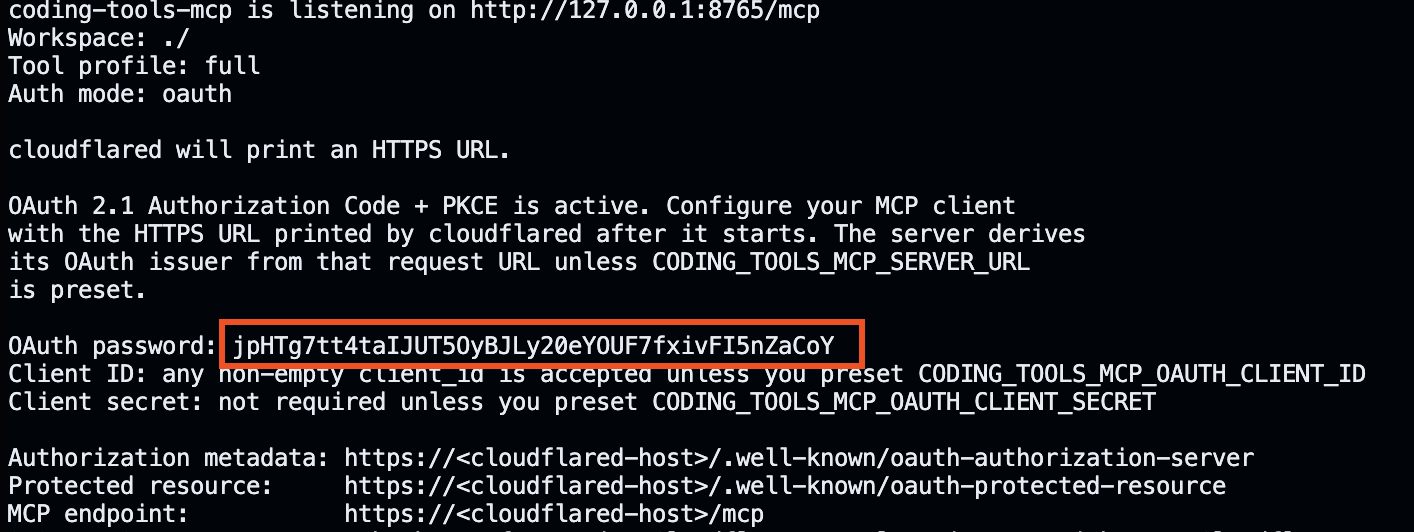
复制Cloudflare Tunnel URL

打开Mistral AI官网并注册登录账号 https://chat.mistral.ai/
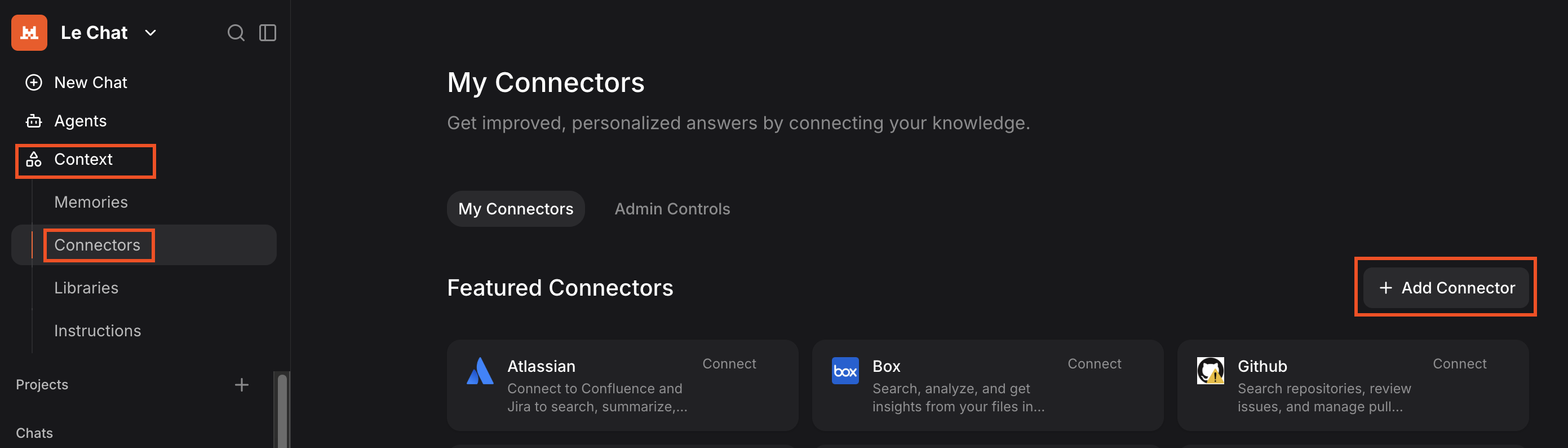
点击左侧的Context,并依次点击Connectors,Add Connector
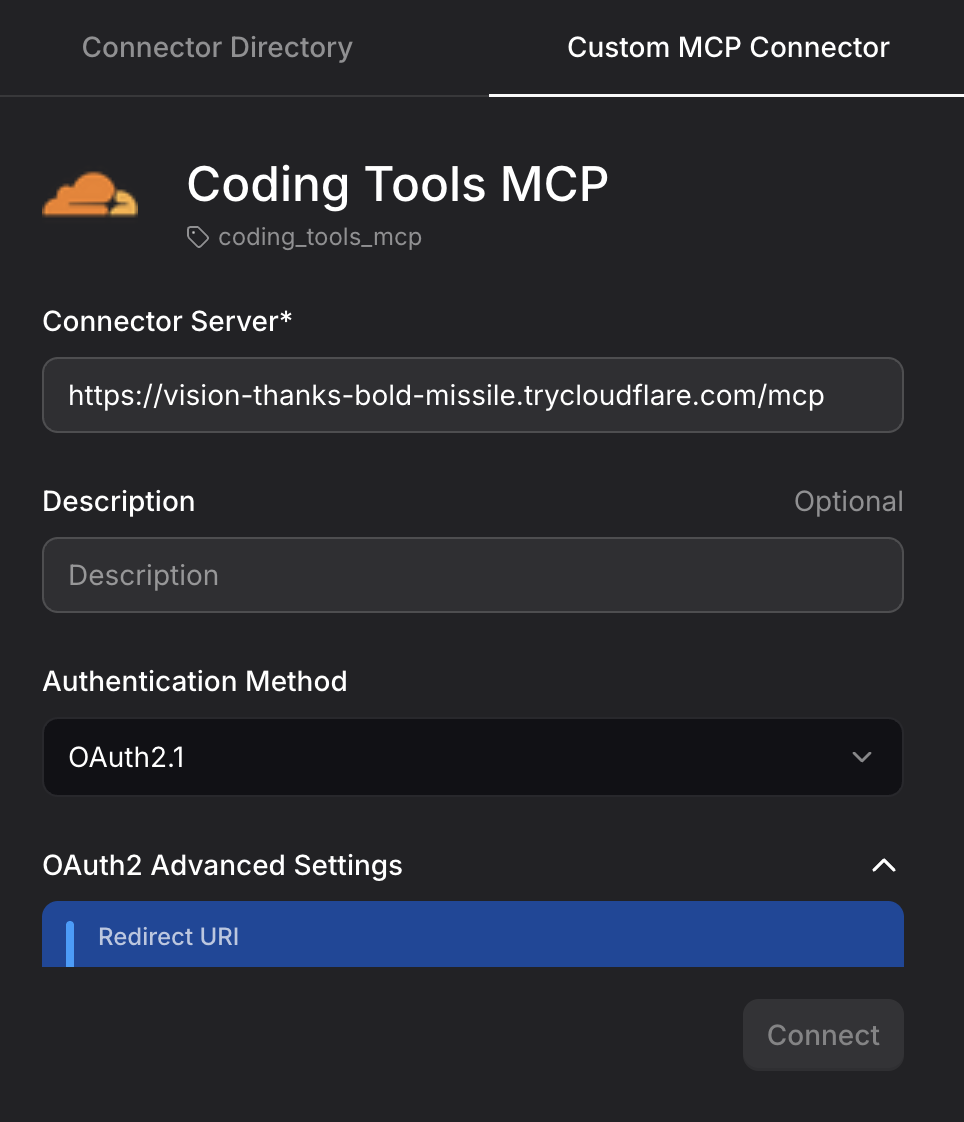
弹出的窗口当中按照如图所示配置,注意要添加/mcp
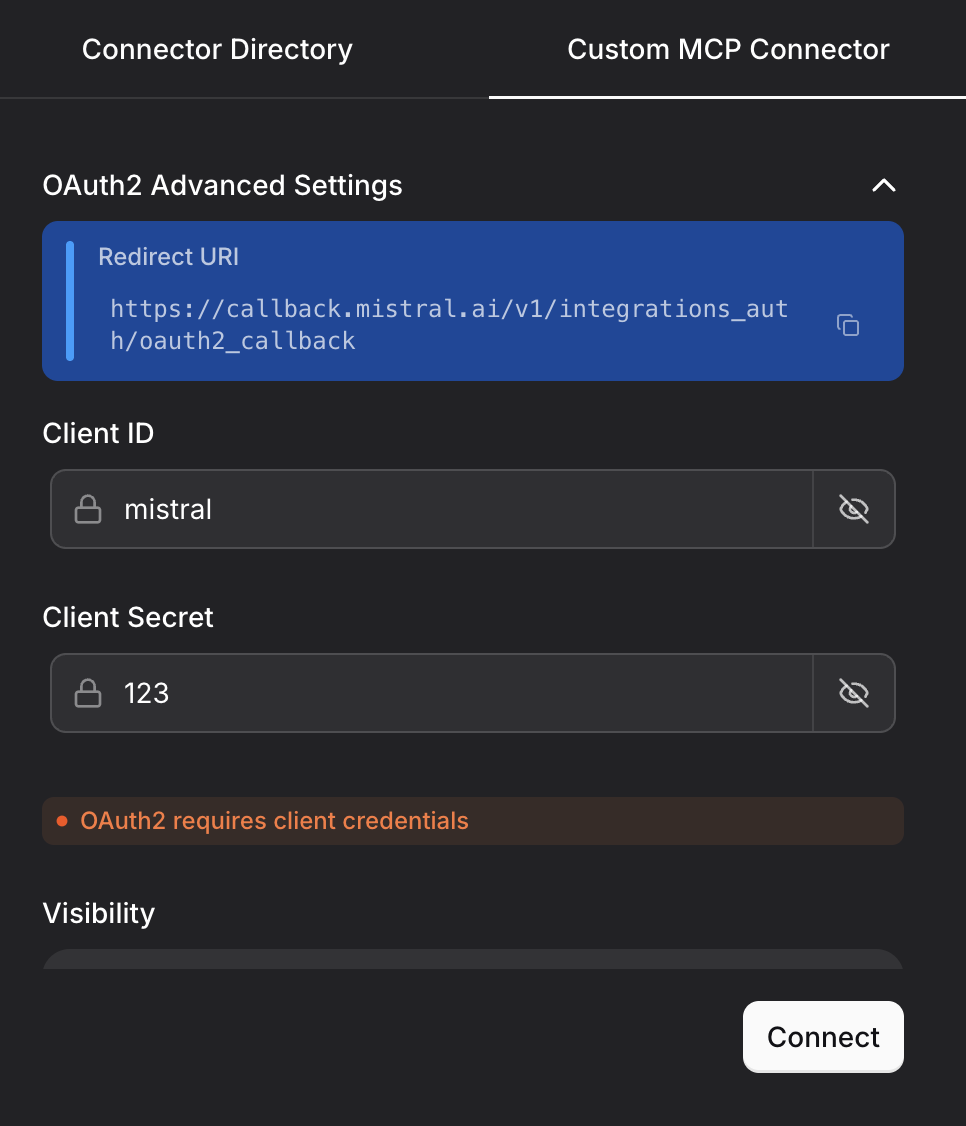
Client ID 和 Secret随便填
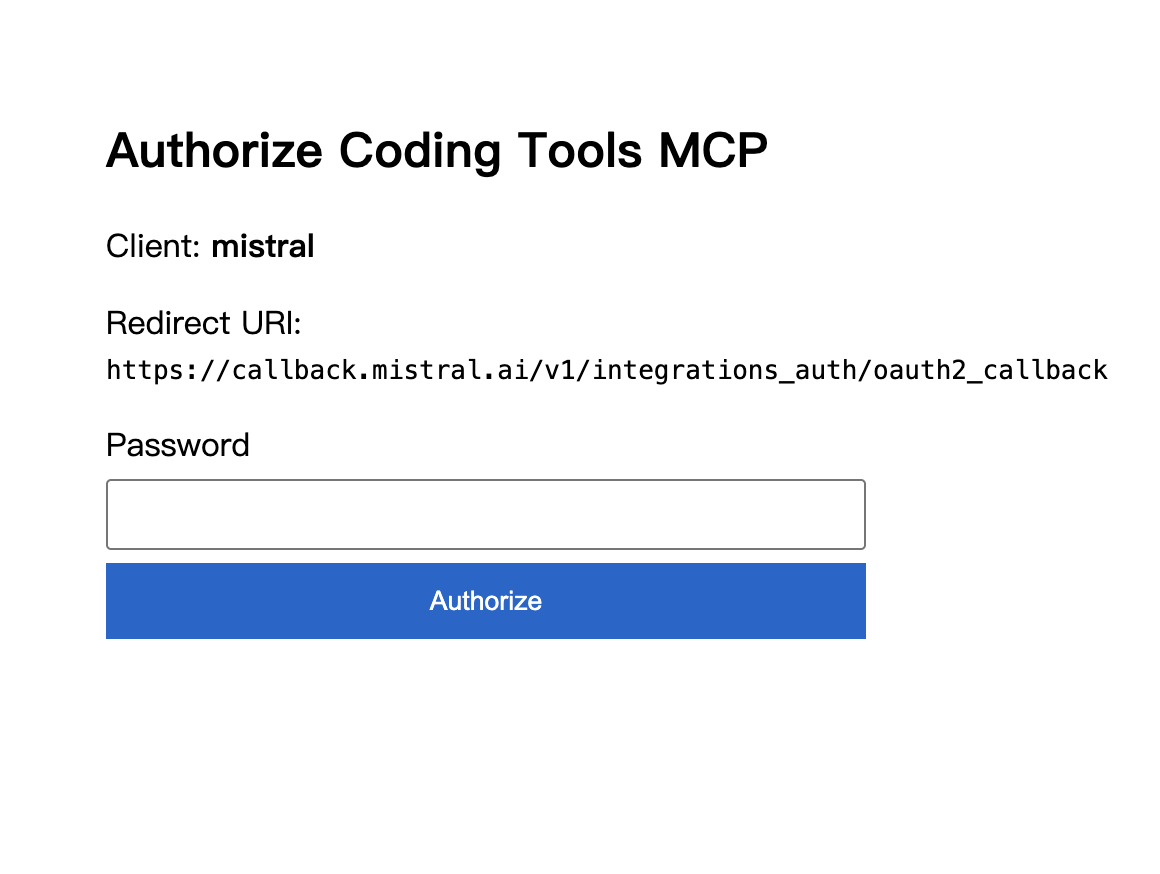
点击Connect后会自动跳转至OAuth页面,输入你刚刚保存的OAuth password
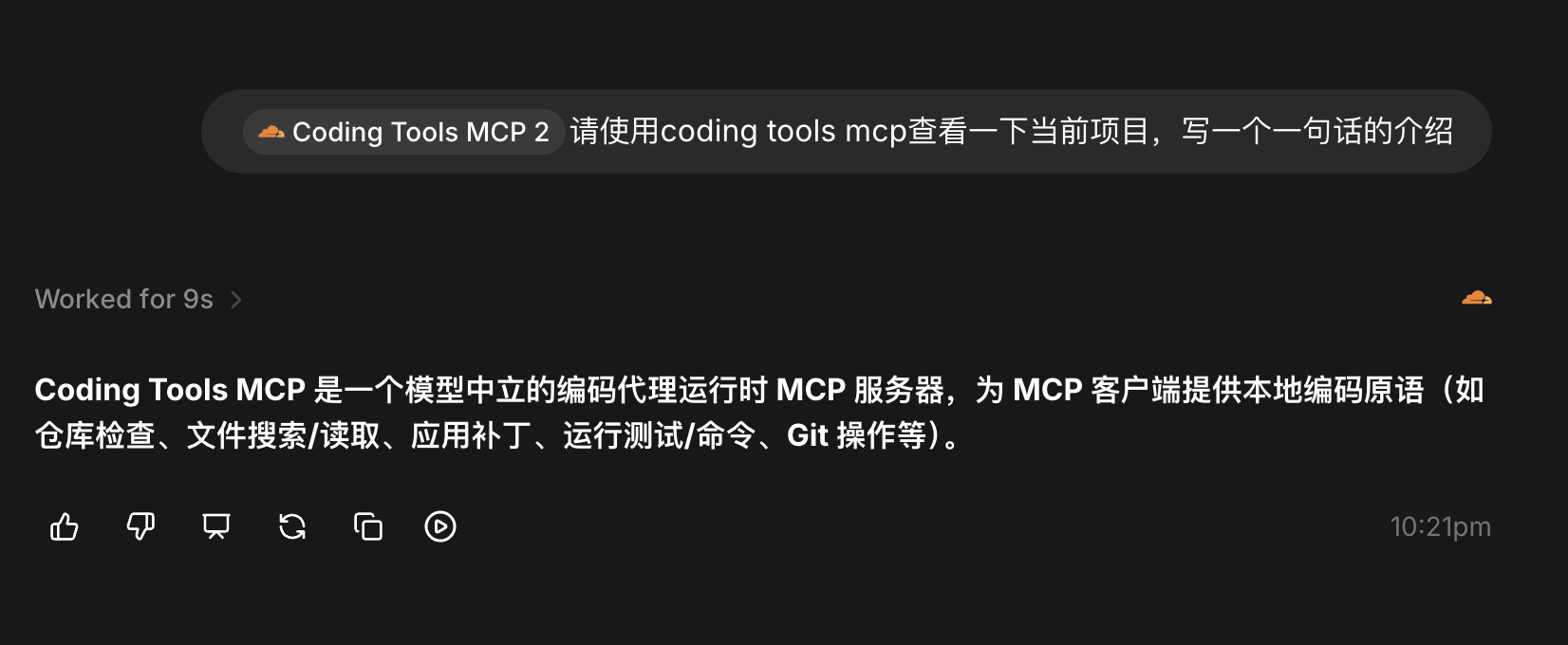
即可愉快的使用Mistral AI 进行编程
3 个帖子 - 2 位参与者
来源: LinuxDo 最新话题查看原文