Windows 11 K2 (KB5089573) 发布更新
- 引入了低延迟延迟模式如下
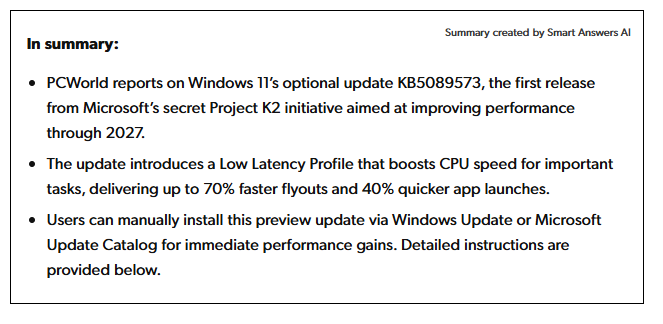
但是需要启用LLP ( Low Latency Profile)
vivetool /enable /id:60716524
vivetool /enable /id:61391826
vivetool /enable /id:58989092
vivetool 流程如下
-
下载vivetool
Releases · thebookisclosed/ViVe · GitHub
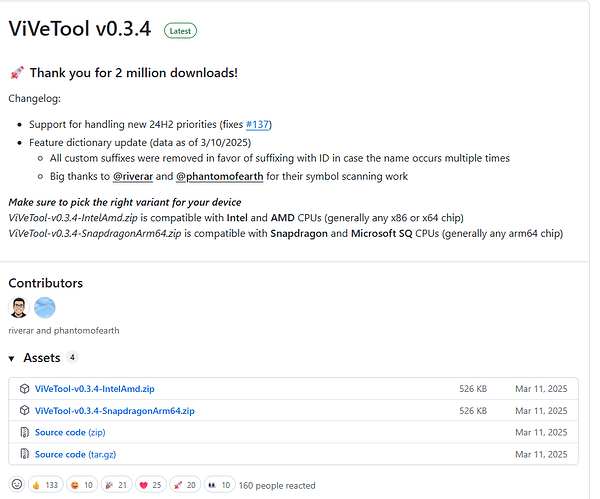
-
解压放置文件,不想配置环境变量就直接进入文件位置鼠标右键 选择在从终端打开执行下方命令行即可
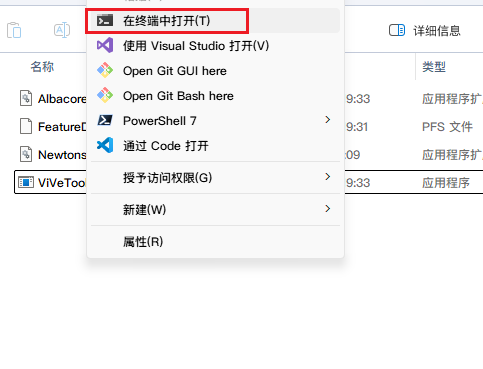

.\vivetool /enable /id:60716524
.\vivetool /enable /id:61391826
.\vivetool /enable /id:58989092
 实际是否达到描述上的提升就不知道了喵
1 个帖子 - 1 位参与者
来源: LinuxDo 最新话题查看原文