A/坏事做尽,手机登陆了账号之后,账号如果被封禁,claude会一直保持着这个登陆的cookie,然后导致claude软件出现something went wrong,try again按钮,我忘记保存对应图片了,我用一下别人reddit的图片,刚才还发了一个求助贴 有佬可以帮订阅claude pro吗
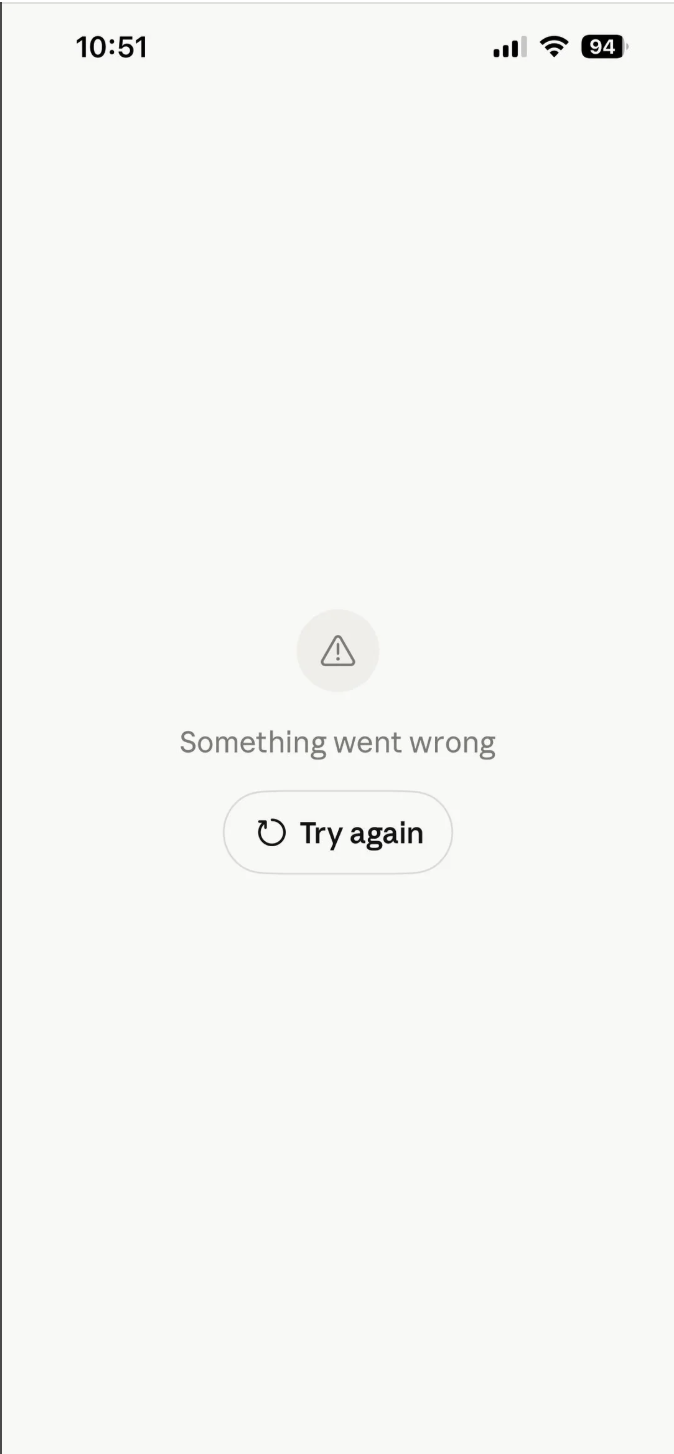
然后我在reddit上看到一个解决方法是:
I ran into a similar Claude iOS issue: the app was stuck on “Something went wrong / Try again”, and reinstalling did not help.
In my case, the app was still sending old session cookies. Charles showed repeated `/api/account?` requests with cookies like `sessionKey` and `routingHint`, and the response was an account/auth error. The app kept retrying that stale session instead of showing the login screen.
What fixed it:
- Use Charles Rewrite only for `claude.ai` `/api/account`.
- Change the response to `401 Unauthorized`.
- Replace the body with a normal `session_expired` auth error.
- Add response `Set-Cookie` headers to expire `sessionKey` and `routingHint`.
- Force quit and reopen the iOS app.
- Once the login screen appears, disable the Rewrite rule immediately.
Important: `Set-Cookie` must be added to the response, not the > > request. Never post real cookies or session values.
然后我和codex讨论之后最后的流程大概是以下:
我使用的辅助设备为macbook,windows是否可以使用需要其他大佬测试。虽然希望你们不遇到这个问题
方法需要电脑手机连接同一个局域网,我用的校园网也可以
首先需要安装一个charles
brew install --cask charles
查看mac的局域网ip
直接看当前wifi的ip地址显示就行
iphone进行代理设置
iphone:设置 → 无线局域网 → 当前 Wi‑Fi → 配置代理 → 手动
服务器:你的mac局域网ip地址
端口:8888
safari打开Charles Web Debugging Proxy • SSL CA Certificate installation ,会请求下载证书
设置 → 通用 → VPN与设备管理 → 安装证书
设置 → 通用 → 关于本机 → 证书信任设置 → 信任 Charles
mac的Charles设置
Proxy → SSL Proxying Settings → Enable SSL Proxying
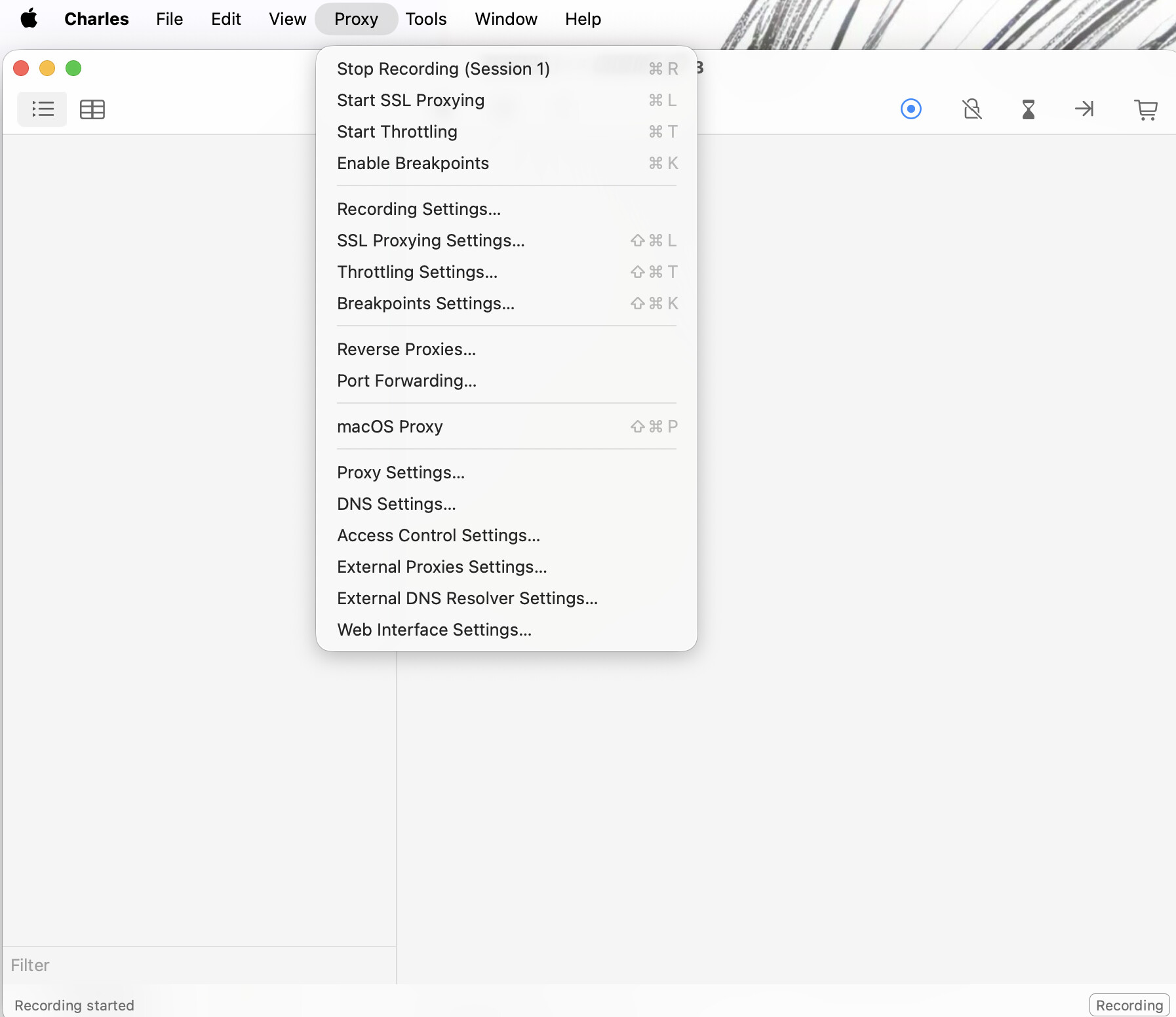
配置include
左下角+:
Host: claude.ai
Port: 443
然后要记得启用Enable SSL Proxying
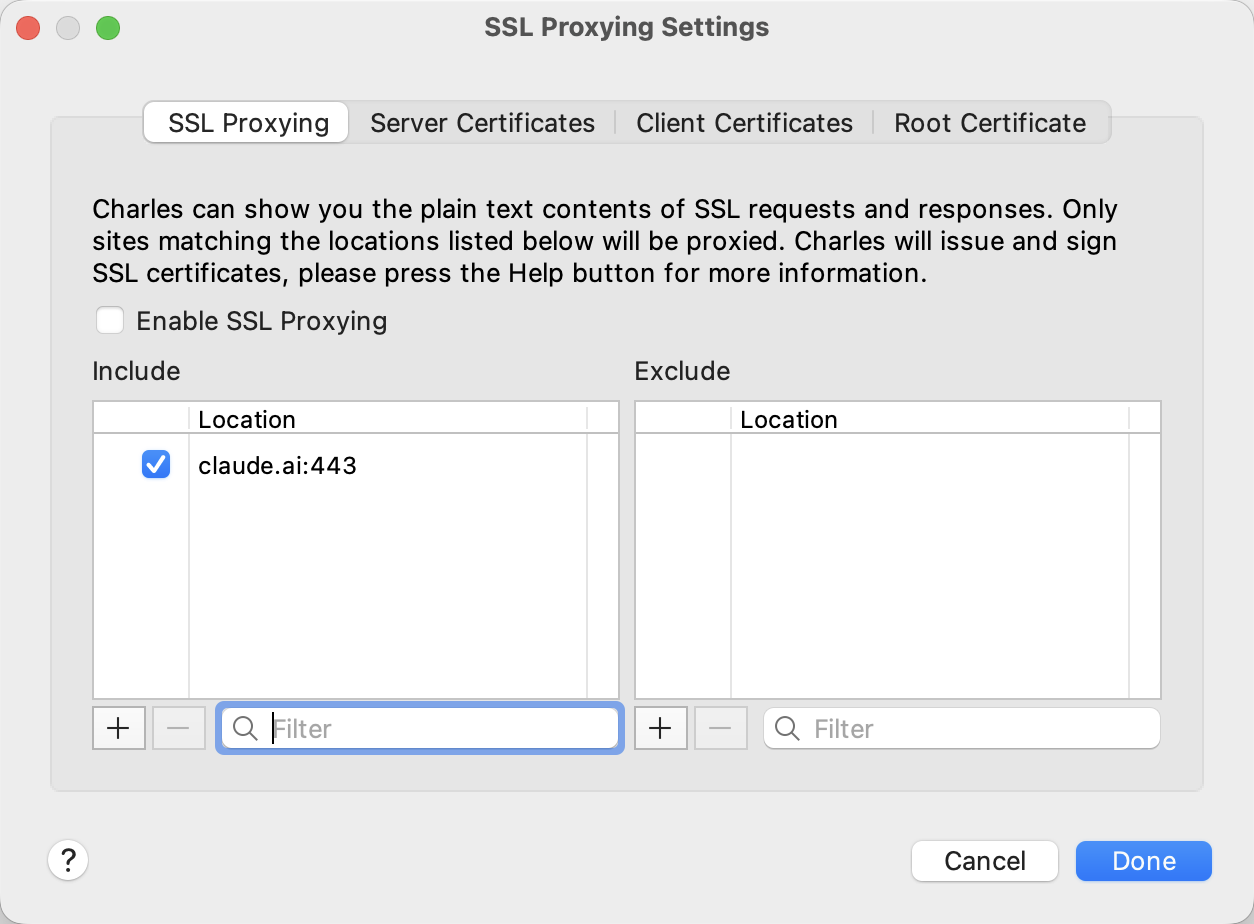
此时iphone打开claude
注意此时不需要挂梯子不需要挂梯子,让charles能抓取到这个claude.ai的信息
由于我的bug已经修复所以这里是正常的
图片中claude.ai中应该会有account
出现的话说明抓取成功了,此时请将iphone后台划掉
下一步charles编辑rewrite
在左上角菜单栏Tools → Rewrite…
左下角+新建一个规则
勾选Enable Rewrite
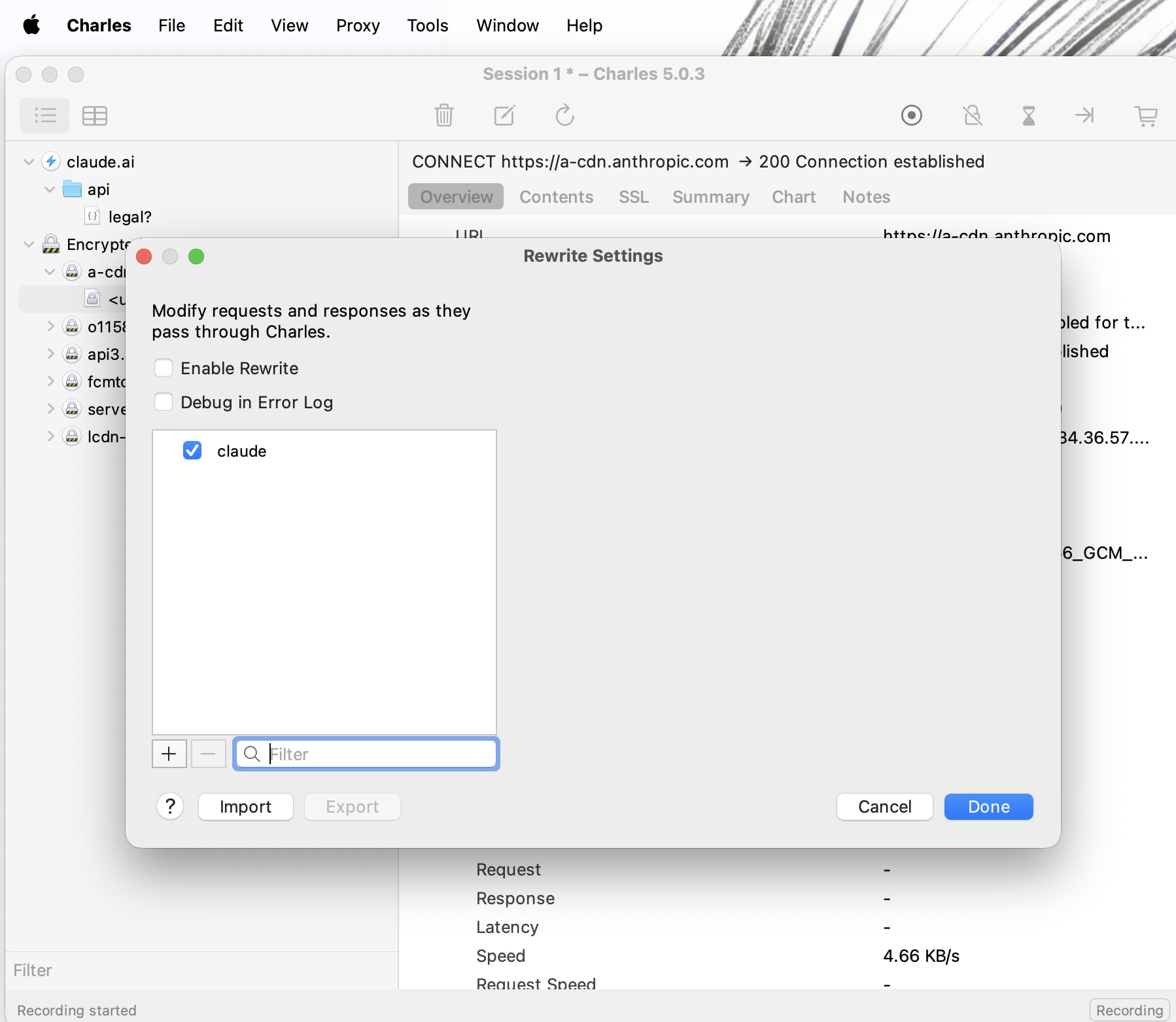
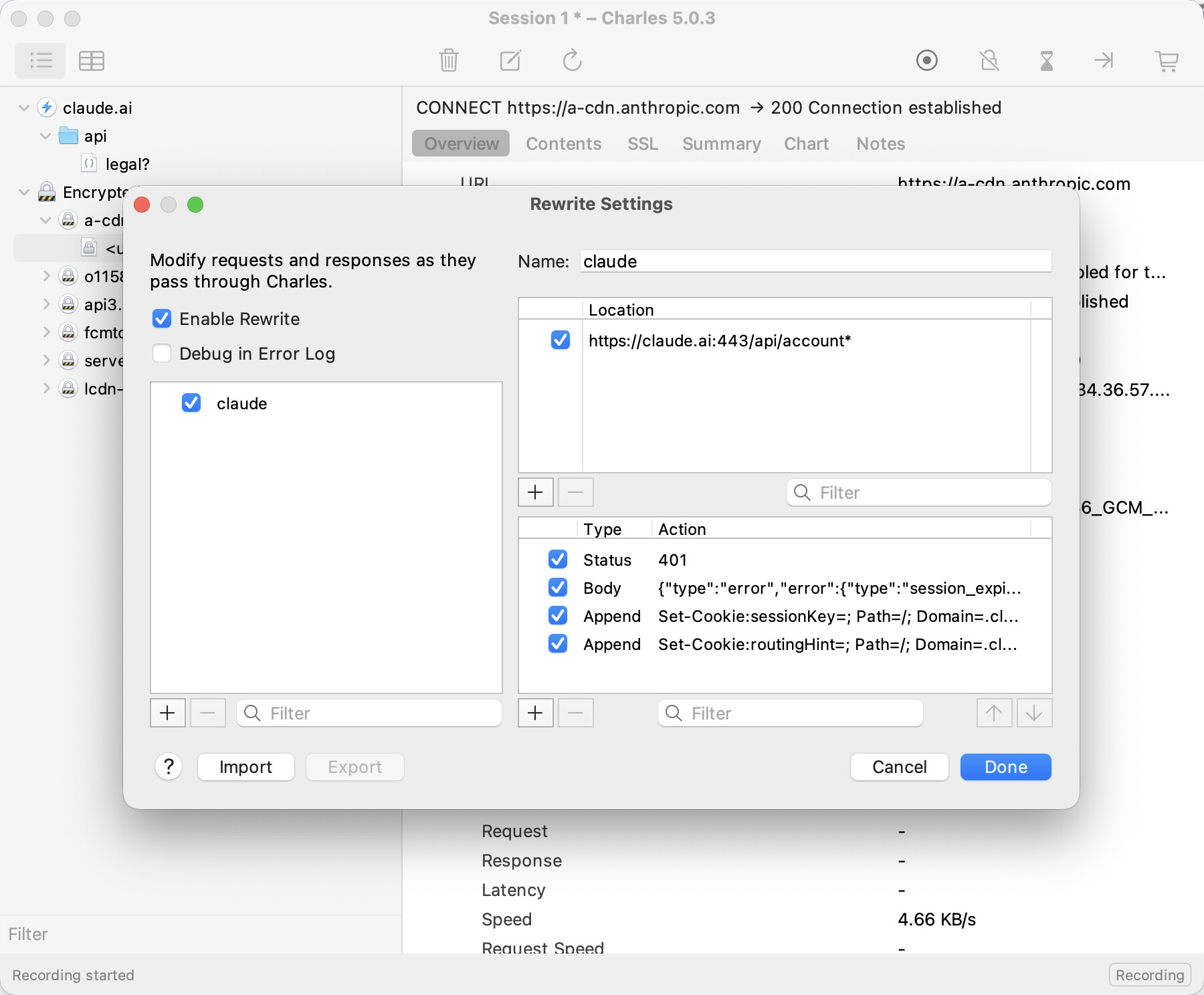
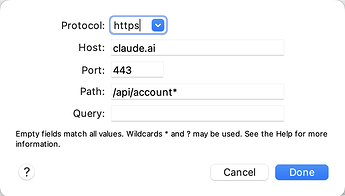
添加右上角的location:
Protocol: https
Host: claude.ai
Port: 443
Path: /api/account*

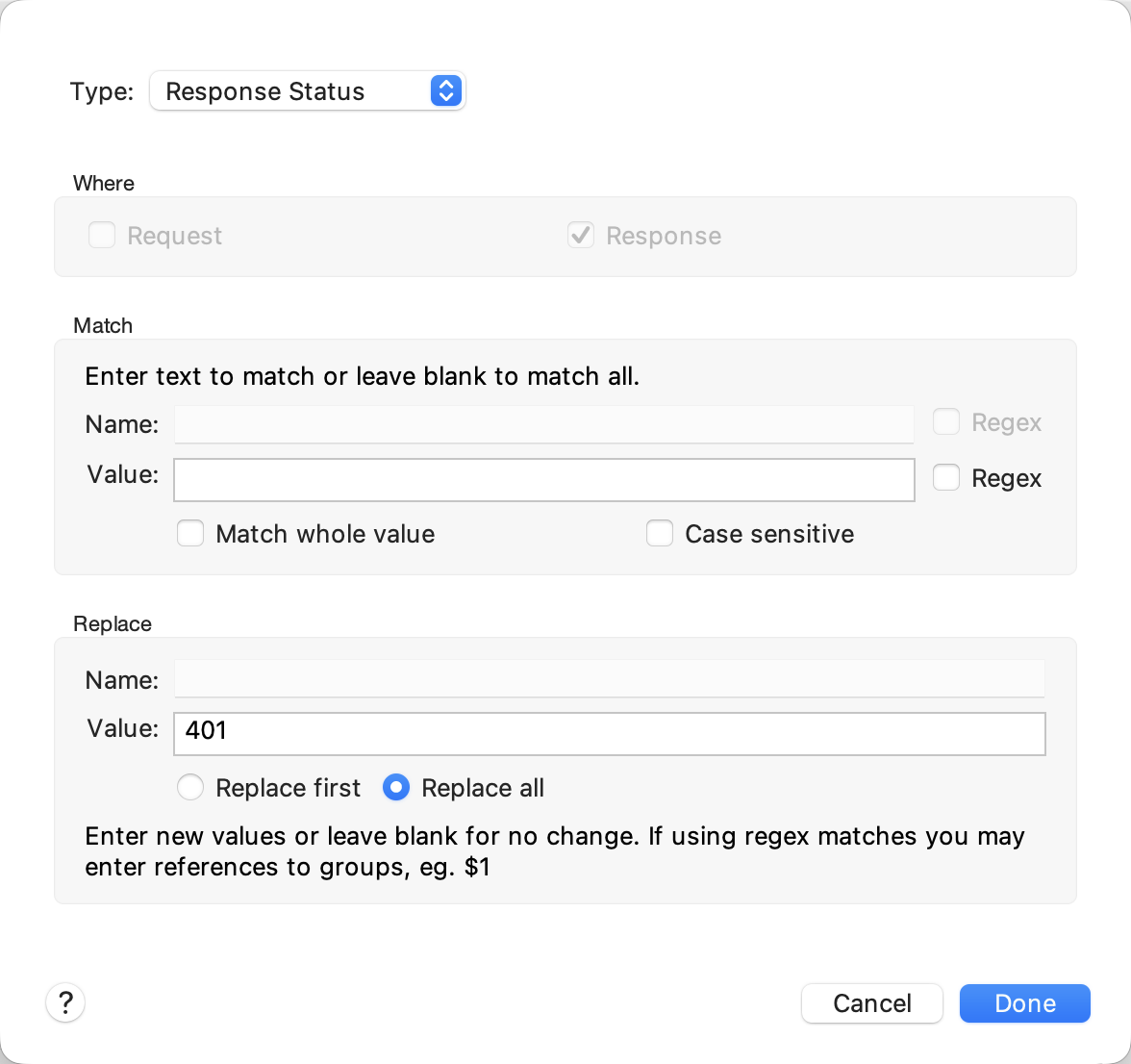
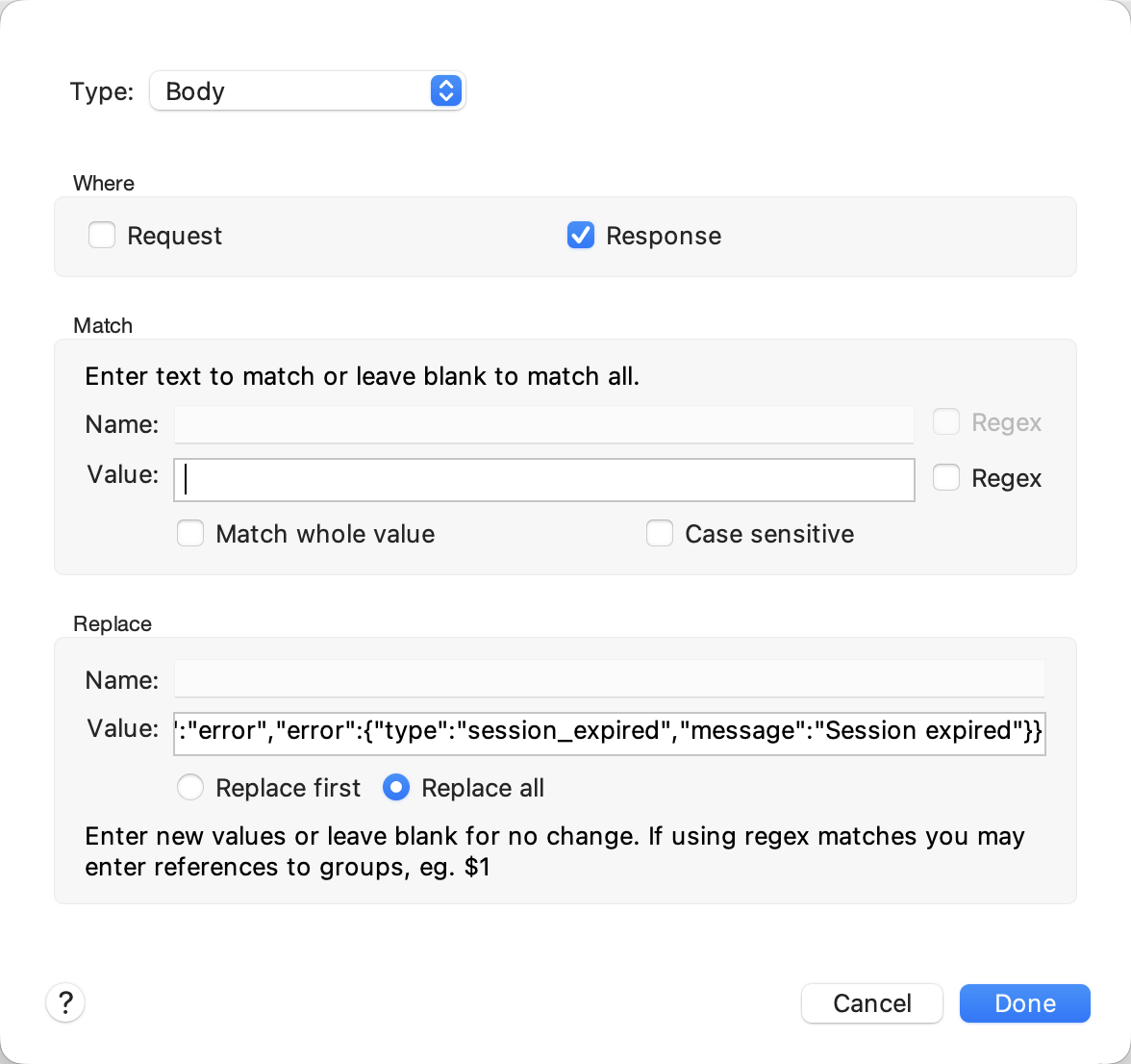
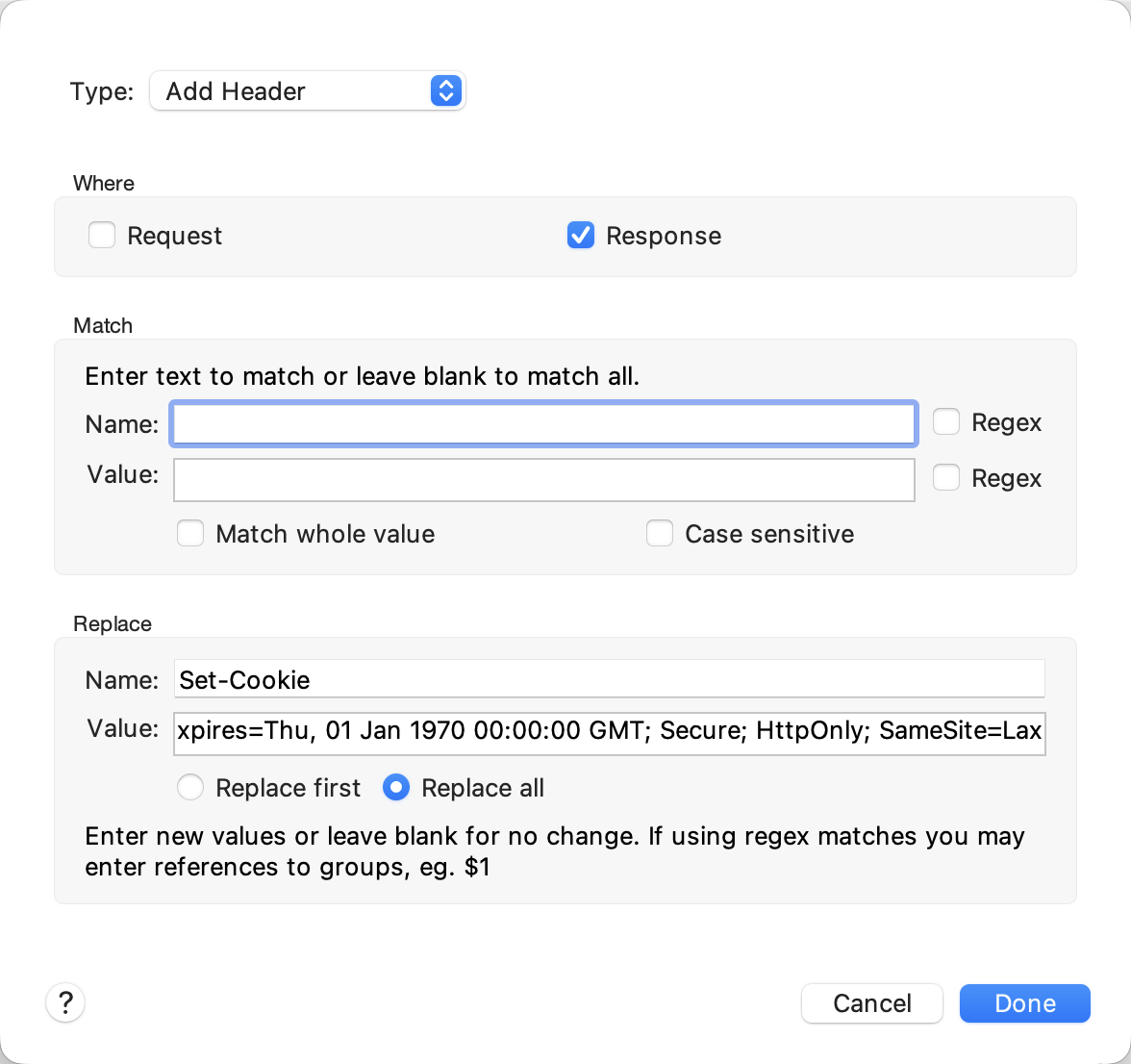
添加右下角四个规则
body对应的value是:
{“type”:“error”,“error”:{“type”:“session_expired”,“message”:“Session expired”}}
第一个add header的value对应是:
sessionKey=; Path=/; Domain=.claude.ai; Expires=Thu, 01 Jan 1970 00:00:00 GMT; Secure; HttpOnly; SameSite=Lax
第二个add header对应的value是:
routingHint=; Path=/; Domain=.claude.ai; Expires=Thu, 01 Jan 1970 00:00:00 GMT; Secure; HttpOnly; SameSite=Lax
Done

iphone此时应该无claude后台,这一步需要挂梯子
梯子挂好之后,打开claude,然后Claude 收到伪造的 401 session_expired 响应,后面应该就会弹出来登陆界面了
此时立刻把charles的rewrite关了:Tools → Rewrite → 取消 Enable Rewrite
做一下收尾工作,就可以重新使用claude了
收尾工作
-
iPhone 设置 → 无线局域网 → 当前 Wi‑Fi → 配置代理 → 关闭
-
charles:
Tools → Rewrite → 取消 Enable Rewrite
Proxy → SSL Proxying Settings → 取消 Enable SSL Proxying -
可选:设置 → 通用 → 关于本机 → 证书信任设置 → 关闭 Charles(主要是关闭信任证书)
然后基本就解决这个小问题了,写了半个钟头呢,入站还是第一次写这种问题的解决方法,希望能帮到有需要的朋友
3 个帖子 - 3 位参与者