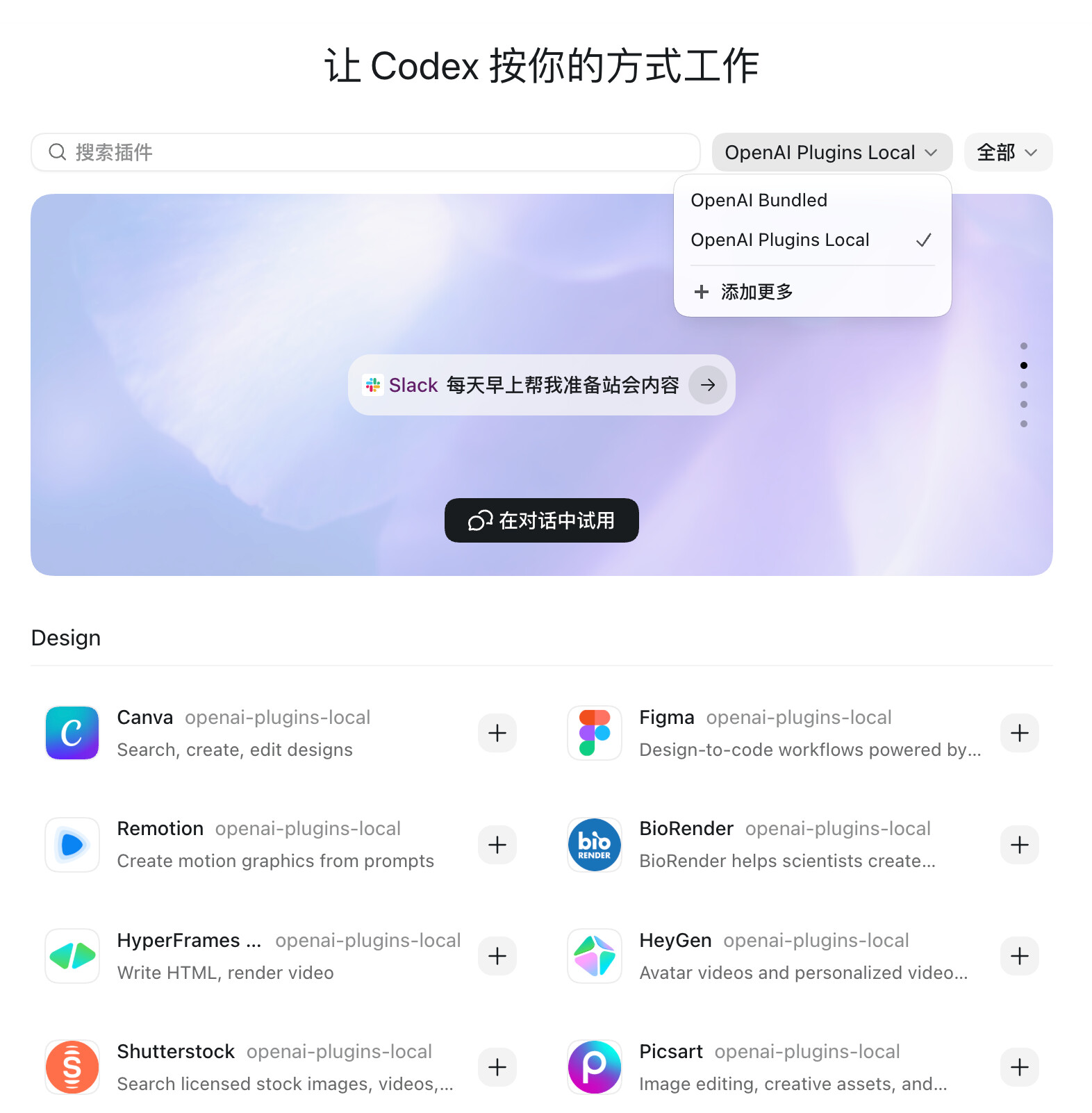
最近折腾 Codex App 的时候遇到一个问题:我切换到第三方 API Provider 之后,插件市场空空如也。
这篇记录一下解决流程,小白也能照着操作。
这里有一个前提:我不想使用 codex++等第三方工具,因为再开一个
软件太麻烦~
一、先看当前有哪些插件市场
终端运行:
codex plugin marketplace list
如果只看到这些:
openai-primary-runtime
openai-bundled
openai-curated
那么你在 codex app 中极有可能看不到官方插件。
二、为什么不能直接添加 openai/plugins?
很多人第一反应会运行:
codex plugin marketplace add openai/plugins
但这个通常会失败。
原因是 OpenAI 官方插件仓库里的 marketplace 名称是 `openai-curated`,这是 Codex 里的保留名,不能重复添加。
所以我们要换个思路:把官方插件仓库克隆到本地,然后把 marketplace 名称改成一个不冲突的名字。
三、克隆插件仓库
git clone GitHub - openai/plugins: OpenAI Plugins · GitHub ~/.codex/plugins/openai-plugins-local
四、修改marketplace名称
~/.codex/plugins/openai-plugins-local/.agents/plugins/marketplace.json
把里面`name`改成:
“name”: “openai-plugins-local”
再把显示名改成:
“interface”: {
“displayName”: “OpenAI Plugins Local”
}
这样就避免和内置的 `openai-curated` 冲突。
五、注册本地插件市场
codex plugin marketplace add ~/.codex/plugins/openai-plugins-local
注册成功后,再检查一次:
codex plugin marketplace list
如果看到:
openai-plugins-local /Users/你的用户名/.codex/plugins/openai-plugins-local
就说明成功了。
六、为什么切换第三方 Provider 后会消失?
关键点在这里:
Codex 的插件市场注册记录会写进:
~/.codex/config.toml
大概是这种结构:
marketplaces.openai-plugins-localsource_type = “local”
source = “/Users/你的用户名/.codex/plugins/openai-plugins-local”
有些切换 Provider 的工具,如果是“整份覆盖” `config.toml`,就可能把你手动添加的 `[marketplaces.*]` 配置块覆盖掉。
插件目录还在,但 Codex 不知道它存在了,于是插件市场就“消失”了。
2 个帖子 - 2 位参与者